I’ve been feeling inspired by all of the vinyl related projects out there, but being a newbie to both vinyl and my Cricut, I was feeling a little overwhelmed. So, for my first project I decided to stay simple.
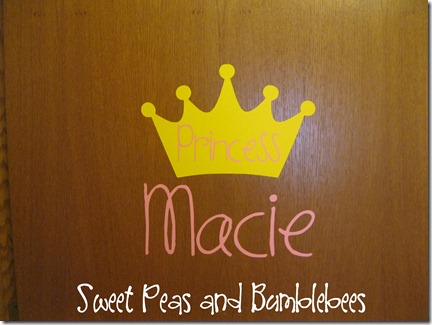
For my little girl’s door, I wanted something girly but also simple.
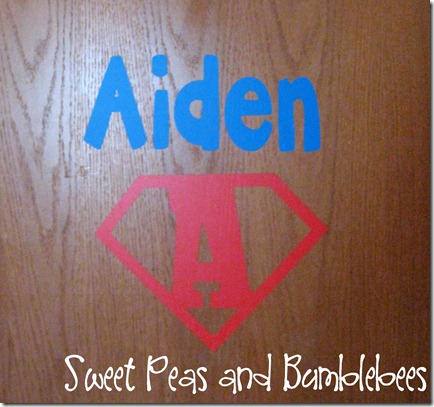
For my little boy’s room, I also wanted to go simple but to incorporate his current love for super heroes!
Several months ago I purchased a bunch of vinyl and transfer tape from Expressions Vinyl. When I bought it, I didn’t have any projects in mind, but I’ve been brainstorming ever since. So, or my first attempt at using vinyl, I decided to put my kid’s names on their doors.
Using my new favorite software, Sure Cuts A Lot 2, I cut out all of my vinyl…so easy! I’m pretty sure I’ll never cut out anything on my Cricut without it again!
Here are the steps I followed for this project for Macie’s door (sorry I don’t have pictures to go along with my tutorial…this was done prior to my blogging days):
1. I searched online for crown clipart. Here is the one that eventually caught my eye.
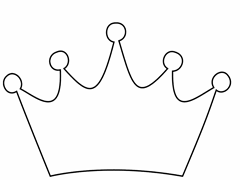
2. Using Sure Cuts A Lot 2, I turned it into an .svg file and printed it out using yellow vinyl using my Cricut.
3. Using my all time favorite font, Pea C-Squared, I cut out the words using a light pink.
4. Once my pieces were cut out, I weeded them and applied transfer tape to the images. I started with the crown. Once it was down, I applied the word, “princess” on top of it. Then, her name was applied below the crown.
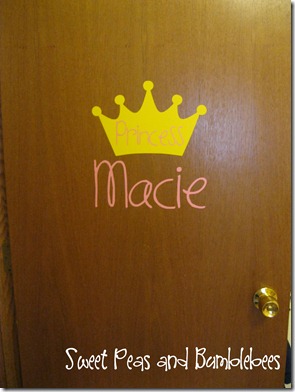
I think I may add some flower accents around her name once I get some more time.
--------------------------------------------- Here are the steps I followed for this project for Aiden’s door (sorry I don’t have pictures to go along with my tutorial…this was also done prior to my blogging days):
1. I searched online for “superman initials”. Here is the one that I ended up using:
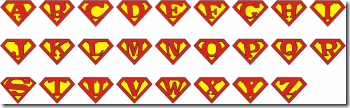
Using my Snipping Tool (if you haven’t heard about this tool, it’s amazing!!!) I isolated the A and brought it into Sure Cuts A Lot 2.
2. Using Sure Cuts A Lot 2, I turned it into an .svg file and printed it out using red vinyl using my Cricut.
3. Using a chunky font, I cut out the words using a a dark blue.
4. Once my pieces were cut out, I weeded them and applied transfer tape to the images. I started with the superman initial. Once it was down, I applied Aiden’s name above it.
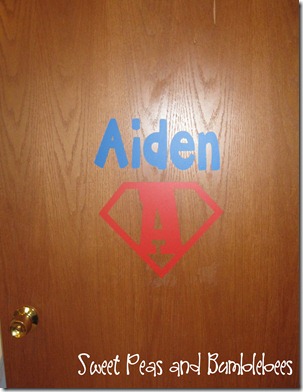
Whew! My first vinyl projects are complete…now I can move on to bigger and more complex projects. Stay tuned!
I'm linking this project to: